 Redeems
Sign in
Blog · 15 November 2026 · 9 min read
15 Christmas stream ideas your chat will actually join in
December is the busiest, cosiest month on Twitch. Viewers have time off, they’re in a giving mood, and they want to feel part of something. The best holiday streams don’t just look festive: they give chat something to do. Here are fifteen ideas, from five-minute tweaks to whole-month traditions, and a December plan at the end you can copy.
Ideas chat plays together
1. An advent calendar your chat opens together
A classic advent calendar has a door for every day. On stream, it works better with a door per stream: you don’t stream every day, and nobody wants to miss a door because they had work. Viewers “knock” with channel points (or subs and bits), and once enough knocks land, today’s door swings open on screen.
Behind each door can be anything: a card for everyone who knocked, a prize you announce, a challenge you have to do, or one piece of a mystery picture that builds up through December. Because everyone knocks on the same door, it turns your whole chat into a team, and it gives people a reason to come back next stream.
Redeems has an advent calendar overlay built exactly like this: one door per stream, knocks from channel points, subs or bits, and cards, your own surprises or a mystery picture behind the doors. Try it in the demo.
2. A snowball fight between two teams
Split chat into two teams, say the Elves and the Reindeer, and let them throw snowballs at each other’s fort. Team games work because they give viewers a side to be on and a reason to rally their friends. Keep rounds short (a few minutes) so latecomers can join the next one.
Want more drama? Run a Twitch Prediction on which team wins, so even viewers who don’t play can bet channel points on the outcome.
The Redeems snowball fight runs across the bottom of your stream: viewers pick a side with !sbjoin (or channel points), a cheer or a sub throws a giant snowball, and it can open and settle a Twitch Prediction for each fight.
3. A festive wheel of challenges
Fill a wheel with holiday dares: wear a Santa hat for the next game, sing a carol (badly), speak like an elf for ten minutes, play the next round with a festive handicap. Let gift subs spin it, or set a sub goal so the wheel spins every few subs. On a smaller channel, a goal of 3 to 5 subs keeps the wheel spinning all stream.
The Redeems sub wheel spins a 3D wheel on stream for gift bombs or every time your sub goal is reached, with challenges that follow the game you’re playing.
4. Christmas card packs viewers collect
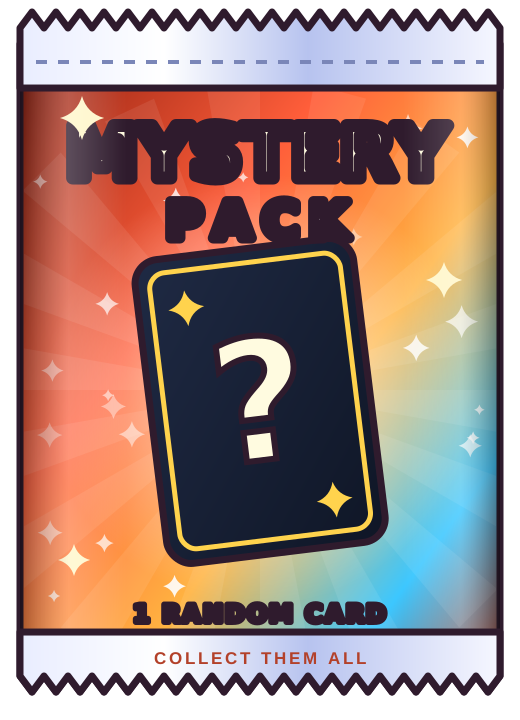
Collectibles are the reason people come back. Make a small holiday card set, from a common gingerbread viewer to a legendary golden reindeer, and let viewers open blind packs with channel points. The rare pulls become chat moments on their own, and !cards lets everyone show off their collection.
With Redeems card packs, channel points open a pack on stream. Use the 20 built-in cards, or upload your own holiday set on Pro.
5. Ugly sweater night
Wear your worst sweater, invite chat to post theirs in your Discord, and let viewers vote on the winner with a poll. It costs nothing, it’s great for clips, and it works in any category.
6. Twelve days of channel point perks
For the last twelve streams of the year, unlock a new channel point reward each stream: pick the next game mode, name a character, choose the stream title, add a wheel slice. It rewards regulars without running a cash giveaway. If you do give away prizes, check your local rules and Twitch’s guidelines first.
Make the stream look and feel like December
7. A winter frame around your scene
Gentle snowfall, a string of lights along the top, a frosty edge: small touches make the whole stream feel seasonal without covering your gameplay. Keep effects at the edges and away from your game’s HUD and your facecam.
The Redeems winter frame adds snowfall and a few festive touches at the edges, and works on vertical canvases too.
8. A cosy “fireplace” starting screen
Swap your starting soon screen for something warm: a fireplace, a snowy window, a mug of cocoa. Add a countdown and a calm playlist, and your first five minutes become part of the vibe instead of dead air.
9. Holiday music you’re allowed to play
Most famous Christmas songs are copyrighted, and playing them on stream can get your VODs muted or worse. Use royalty-free holiday music, music you’ve licensed for streaming, or play your own instruments. When in doubt, leave it out.
Special streams worth putting in the schedule
10. A cozy game marathon
December is perfect for long, relaxed streams: decorating your farm in Stardew Valley, a winter island in Animal Crossing, a Christmas build in Minecraft or a festive afternoon in Disney Dreamlight Valley. Let chat vote on the next game or the next build.
11. A charity stream
Pick a cause that matters to you and your community, set a goal, and use Twitch’s charity tool so donations go straight to the charity. Tie milestones to fun: at 25% you wear the antlers, at 50% you sing, at 100% chat picks your punishment.
12. A baking or cooking stream
Gingerbread houses, cookies, a holiday dinner: IRL cooking streams are slow, social and full of chat suggestions. Ask chat for a recipe a week before, and share the results.
13. A raid train with your streamer friends
Line up a few friends for a holiday evening and raid from one stream to the next. Each community meets new streamers, and everyone ends the night with new viewers.
14. A year-in-review stream
On your last stream of the year, watch the best clips with chat, look back at your milestones and say thanks to the people who showed up. Ask chat for their favourite moment and you’ll find clips you forgot about.
15. A New Year’s countdown
Stream into midnight with a big countdown on screen, and spin the wheel for everyone’s New Year’s resolution. If your audience is spread across time zones, count down for a few of them.
A December plan you can copy
- Late November: set up your advent calendar and winter frame, and announce your December schedule.
- From 1 December: one advent door per stream. Remind chat at the start of each stream that today’s door needs knocks.
- Every Friday: a snowball fight tournament, Elves against Reindeer, with a Prediction on the winner.
- Mid-December: ugly sweater night, or a charity stream.
- Christmas week: a cozy game marathon, and the last advent doors for the biggest surprises.
- Last stream of the year: year-in-review clips, then the New Year’s countdown.
How to add an advent calendar to OBS
With Redeems, compatible with Twitch, it takes about five minutes:
- Sign in with Twitch at redeems.tv and connect your channel.
- Open the Christmas tab, switch the advent calendar on and choose how many knocks open a door, and what knocks: channel points, subs or bits.
- Pick what’s behind the doors: cards, your own surprises or a mystery picture.
- Drag the Advent Calendar tile into OBS. It becomes a browser source at the right size. In Streamlabs or other apps, paste the link instead.
- Use Test a knock, or click any door to preview how it opens. Only you see the test, so you can try it any time. Then you’re ready for 1 December.
The advent calendar, the snowball fight and the winter frame come with Pro. While founder spots last, the first 100 channels to go live with Redeems get Pro free for life; after that, new channels start with 14 days of Pro free.
Redeems is compatible with Twitch, and is an independent product, not affiliated with or endorsed by Twitch.
Written by the Redeems team. We make the overlays mentioned in callouts, but every idea here works with any tools.